
The New Default Nix Flake Template Explained
Everyone wants to use flakes these days. They feel like the latest and true way to use Nix, and many people avoid the “old ways” entirely. This is understandable: Flakes enforce some structure. The tooling gives you some errors/warnings of what is right and wrong. Not being able to freely structure everything is a good thing here, because inexperienced users like guidance.
But there is a gap in this structure:
One of the most basic features that we expect from any flake is that it provides outputs for more than one architecture (see packages.x86_64-linux.foo, packages.aarch64-linux.foo, etc…)
Yet flakes provide no standard way to do that.
Newcomers end up copy&pasting different community patterns for multi-arch outputs, without any experience to weigh them against each other.
Or they say “screw it, I’ll just use flake-utils”, because it feels like one of the more right ways.
This library was written by proven Nix experts, so it comes with the authority of looking like this is the best way.
But think about that for a moment:
We already need a library for the simplest of features.
Providing packages for multiple architectures was easier and shorter without flakes.
One could consider this a design gap.
However, we are not here to say that flakes are bad and/or tell you to not use flakes.
We are here to present a pattern that should be considered the standard flake pattern.
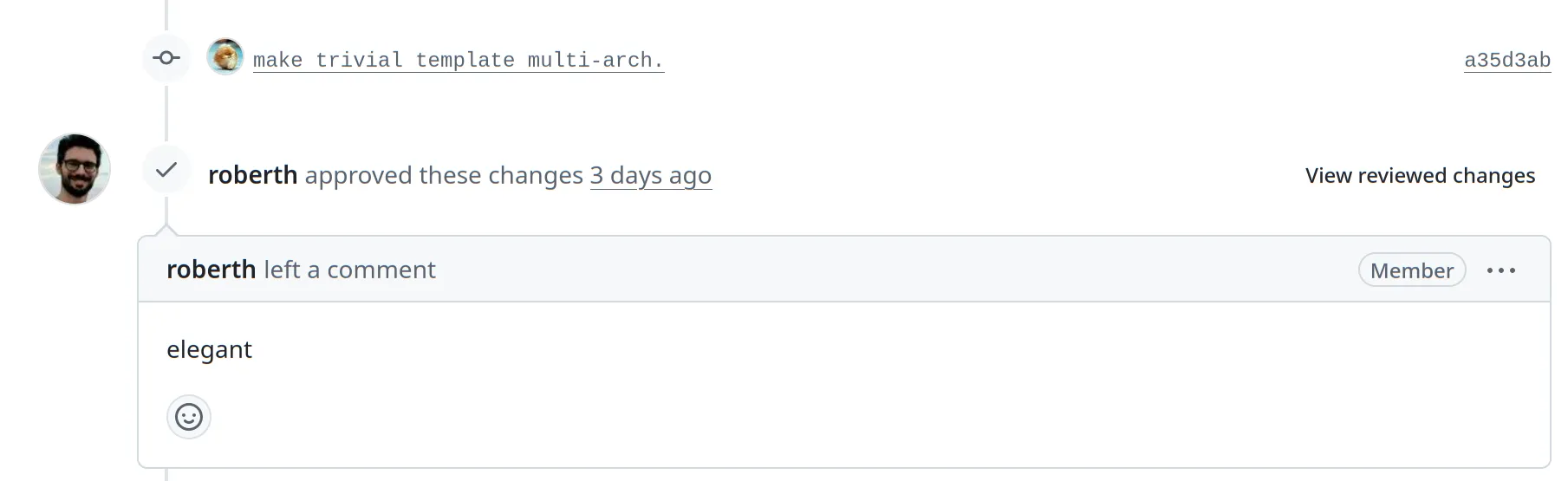
Since August 2026, it is what nix flake init gives you:
My PR that changed the default template was merged after I learned the underlying pattern from tomberek, and I liked it so much that I think everyone should know it.
TL;DR
Run nix flake init in an empty folder and you get this:
# file: flake.nix
{
  description = "A very basic flake";

  inputs = {
    nixpkgs.url = "github:nixos/nixpkgs?ref=nixos-unstable";
  };

  outputs = inputs: {
    packages = builtins.mapAttrs (system: pkgs: {

      hello = pkgs.hello;
      default = inputs.self.packages.${system}.hello;

    }) inputs.nixpkgs.legacyPackages;
  };
}
This little flake provides its packages for every platform that nixpkgs supports, with zero extra inputs and zero helper functions.
Replace pkgs.hello with your own package (e.g. pkgs.callPackage ./package.nix { }) and you are done.
Other output categories work the same way.
A development shell for nix develop, for example, is just another block with the same straight-forward pattern:
# file: flake.nix
outputs = inputs: {
  # Build these with `nix build ...`
  packages = builtins.mapAttrs (system: pkgs: {

    hello = pkgs.hello;
    default = inputs.self.packages.${system}.hello;

  }) inputs.nixpkgs.legacyPackages;

  # Instantiate the default dev shell with `nix develop`
  devShells = builtins.mapAttrs (system: pkgs: {

    default = pkgs.mkShell {
      packages = [
        pkgs.jq
        pkgs.ripgrep
      ];
    };

  }) inputs.nixpkgs.legacyPackages;
};
The first half of this article explains how this pattern works and why you should make it your standard. The second half is for the advanced cases where the default nixpkgs configuration is not enough.
(Please note that you only get this template if you use the standard Nix.
Determinate Nix ships its own flake templates, so nix flake init gives you different templates.)
Why Multi-Platform Outputs Are Clunky
Flake outputs have to be listed per platform, as in packages.x86_64-linux.hello.
Users can’t override the platform from the command line, so as a flake author you have to enumerate your outputs for every platform that your users might run (which also implicitly looks like you support them officially).
This is one reason why (by some) flakes are considered an increase of boilerplate for a problem that non-flakes did not even have.
Writing them all out by hand is repetitive, and this repetition is the whole reason why helper flakes like flake-utils became popular.
But every extra input inflates the flake.lock files of all your users, who often end up with multiple pinned copies of the same helper flake (refer to this article for the full argument).
The New Default Template
Let’s look at the interesting part of the new template again:
outputs = inputs: {
  packages = builtins.mapAttrs (system: pkgs: {

    hello = pkgs.hello;
    default = inputs.self.packages.${system}.hello;

  }) inputs.nixpkgs.legacyPackages;
};
The trick is using mapAttrs on inputs.nixpkgs.legacyPackages. Why and how does that work?
nixpkgs is itself a flake, and one of its outputs is legacyPackages: an attribute set that maps every supported platform to a complete, ready-to-use pkgs set.
Why does an output category with “legacy” in its name even exist? It seems like an antipattern that all modern flake repos depend on something with “legacy” in its name?
The flake schema demands that packages.<system> is a flat attribute set of derivations (no nesting!).
The full nixpkgs package set does not fit into this schema, because it contains nested package sets like pkgs.python3Packages.… and helper functions like pkgs.mkShell.
This all already existed long before flakes were invented.
So nixpkgs exposes its complete package set under the name legacyPackages, where the newer strict schema rules don’t apply.
The name has nothing to do with the packages being legacy.
It only signals that this output does not follow the modern flat flake output schema.
builtins.mapAttrs walks over this attribute set and transforms each pkgs into the set of packages that our flake wants to provide.
The result has exactly the shape that the flake output schema expects: packages.<system>.<package name>.
So this template automatically supports every platform that nixpkgs supports:
$ nix flake show
└───packages
    ├───aarch64-darwin
    │   ├───default: package 'hello-2.12.3'
    │   └───hello: package 'hello-2.12.3'
    ├───aarch64-linux
    │   ├───default: package 'hello-2.12.3'
    │   └───hello: package 'hello-2.12.3'
    ├───armv6l-linux
    │   ├───default: package 'hello-2.12.3'
    │   └───hello: package 'hello-2.12.3'
    ├───i686-linux
    # ...
    ├───powerpc64le-linux
    # ...
    └───riscv64-linux
    # ...
No hardcoded system list that could go out of date, and no obscure “default systems” defined in a third party repository. When nixpkgs adds or drops a platform, the flake follows automatically. This solution more elegant than what we had before:
Adding Your Own Packages
For your own project, you replace the hello example with your own derivations directly inside the mapAttrs bracket:
# file: flake.nix
outputs = inputs: {
  packages = builtins.mapAttrs (system: pkgs: {

    my-tool = pkgs.callPackage ./my-tool.nix { };
    my-server = pkgs.callPackage ./my-server.nix { };

    default = inputs.self.packages.${system}.my-tool;

  }) inputs.nixpkgs.legacyPackages;
};
And this is really all you need for most projects.
This pattern is not some exotic trick that you have to defend in your next team discussion:
It is the official default template now, and whoever runs nix flake init gets it.
So if your colleagues insist that flake-utils or other helper flakes are the way to go, send them this article.
The rest of this article explains the pattern in more depth and covers the cases where you need more control over pkgs.
Prefer legacyPackages over Importing nixpkgs Yourself
Many multi-platform flakes call import nixpkgs { inherit system; } for every system, either directly or hidden inside a helper flake.
Every such call instantiates a fresh pkgs from scratch, and that costs evaluation time and memory.
Often, this adds up in bigger projects. If every flake in a dependency tree of N levels instantiates its own nixpkgs again, the user will have to wait.
The legacyPackages pattern avoids this:
It reuses the pkgs instances that the nixpkgs flake itself provides.
If multiple flakes in your dependency tree use the same nixpkgs input and this pattern, they all share the same instantiation.
So whenever the default nixpkgs configuration is good enough for you, prefer legacyPackages over importing nixpkgs yourself.
Advanced: Making Your Packages Part of pkgs
Sometimes your packages need to be visible inside pkgs:
because they override existing packages, or because other packages from nixpkgs shall pick them up as dependencies.
For this case, extend pkgs with an overlay (Refer to our article about overlays to learn more about those):
packages = builtins.mapAttrs (
  system: pkgs':
  let
    pkgs = pkgs'.extend (final: prev: {
      my-tool = final.callPackage ./my-tool.nix { };
    });
  in
  {

    inherit (pkgs) my-tool;
    my-tool-static = pkgs.pkgsStatic.my-tool;

    default = pkgs.my-tool;
  }
) inputs.nixpkgs.legacyPackages;
A nice side effect of the overlay route:
Packages added via overlay are also reachable through variants like pkgs.pkgsStatic and pkgs.pkgsCross, so you get static and cross-compiled builds of your own packages for free.
When You Need More: Custom nixpkgs Configuration
The legacyPackages output comes with the default nixpkgs configuration, take it or leave it.
As soon as you need allowUnfree, CUDA support, or a list of overlays baked into pkgs, you have to instantiate nixpkgs yourself again.
But also then, no helper flake is needed.
This 5-line helper does everything that flake-utils’ eachSystem does:
# file: flake.nix
{
  description = "Minimal starter flake";

  inputs = {
    nixpkgs.url = "github:nixos/nixpkgs/nixos-unstable";
  };

  outputs =
    inputs:
    let
      systems = [
        "x86_64-linux"
        "aarch64-linux"
        "aarch64-darwin"
      ];

      eachSystem =
        systems: f:
        builtins.foldl' (
          a: s: a // builtins.mapAttrs (k: v: (a.${k} or { }) // { ${s} = v; }) (f s)
        ) { } systems;
    in
    eachSystem systems (
      system:
      let
        pkgs = import inputs.nixpkgs {
          inherit system;
          config.allowUnfree = true;
        };
      in
      {
        packages.default = pkgs.hello;

        devShells.default = pkgs.mkShell {
          inputsFrom = [
            inputs.self.packages.${system}.default
          ];
        };
      }
    );
}
Admittedly, the eachSystem definition itself is horrible to read.
But it is 5 lines of boilerplate that you copy around, instead of another flake input that needlessly pile up in different versions over multiple levels of flakes that depend on each other.
That is the deal.
In contrast to the lib.genAttrs approach from the flake-utils article, this eachSystem transposes the result:
One call produces packages, devShells, checks, and whatever else your callback returns, each namespaced by system.
Outputs that are not per-system, like overlays or nixosModules, are simply merged in with //.
We use this pattern in our daily work, and you can see it in real projects:
- nix-cuda-example instantiates nixpkgs with
allowUnfree,cudaSupport, and overlays to build and test a CUDA app. - gcan is a Rust project that adds its package via overlay. It also declares its third-party flake input with
naersk.flake = false, so it gets the source code without inheriting that flake’s inputs into its own lock file.
We also packaged it as a template, so you can start a new project with it directly:
$ nix flake init -t github:applicative-systems/templatesSummary
Our decision guide for simple flakes:
- Start with the new default template (That is: Run
nix flake init).mapAttrsovernixpkgs.legacyPackagesgives you all platforms with zero extra inputs and zero extra code lines. - Add your own packages inline with
callPackage. If they need to be visible insidepkgs, add viapkgs.extendwith an overlay. - If you need a custom nixpkgs configuration, use the 5-line
eachSystemhelper (ornix flake init -t github:applicative-systems/templates). - Reach for flake-parts only if you really use their amazing extra features, not for platform enumeration.
Thanks to Tom Bereknyei for showing me the legacyPackages pattern, and to Marijan for laying the groundwork in 1000 Instances of flake-utils.
Flakes can stay simple if we let them.
We help many customers transfer from other Linux-based solutions to NixOS or improve their existing NixOS-based solutions. From that experience, we can help you copy the successful patterns of winning organizations and avoid the patterns that have not worked well elsewhere, instead of having to make this experience yourself from scratch. No matter if you just need a quick consultation on how to build something with Nix or if we can help you by lending developer time, schedule a quick call with us or e-mail us.